Icon of program: DayMate

DayMate for Windows

  • Trial version
  • 3
    13
  • 18K
  • V7.5
Download for Windows

View an ad to download for free

Comprehensive task and appointment manager

DayMate is an excellent day planner that helps you get organized in both your business and personal life.

Top Recommended Alternative

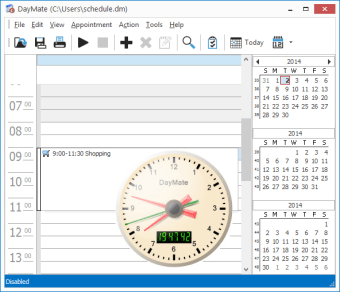
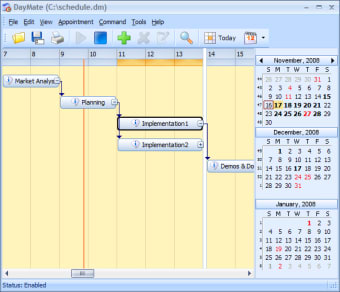
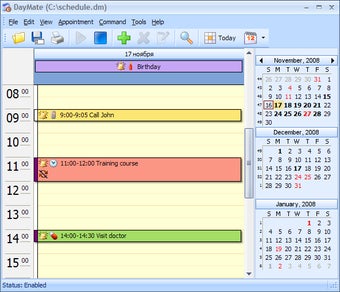
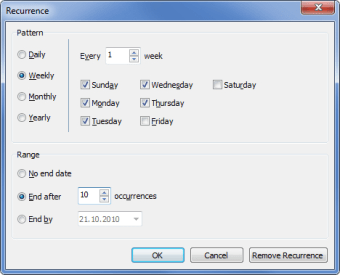
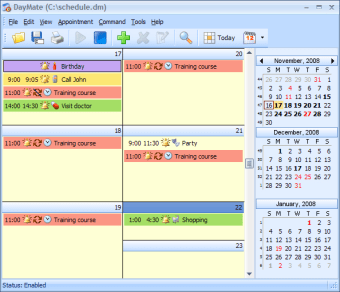
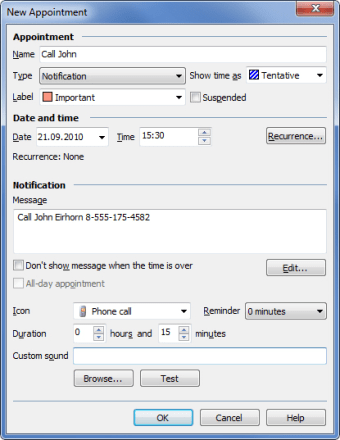
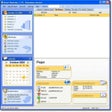
It enables you to create reminders for any kind of event: anniversaries, meetings, personal dates and so on, including system tasks like turning the PC off or launching a given application. Each reminder has its own color code and can be set to warn you with a pop-up window, a sound or even by sending you an e-mail message.

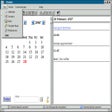
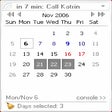
If you have ever used Microsoft Outlook, you'll have noticed that DayMate's interface is very similar to Outlook's calendar. In any case, you'll find it extremely easy to use. The only thing I missed is the possibility to create new categories for events but, otherwise, DayMate may the planner you're looking for.

  • Pros

    • Easy-to-use, nice interface
    • Outlook compatible
    • Can email reminders
    • Can perform scheduled tasks
  • Cons

    • Can't create new categories
 0/6

App specs

Also available in other platforms

Program available in other languages


Icon of program: DayMate

DayMate for PC

  • Trial version
  • 3
    13
  • 18K
  • V7.5
Download for PC

View an ad to download for free


User reviews about DayMate

3

2 reviews

Add review

Main reviews for you

  • Anonymous user

    Great little appointment program. Thought I would give this program a great review as it does what it says it will do very very well. And no virus - bonus!
  • Anonymous user

    Update does NOT crash, works fine!. I just posted a neg review but happily the dev replied to my complaint by letting me know there was an update. I installed the update and it works fine. Now all we need is a way to edit our own softonic reviews...

More

You may also like

Alternatives to DayMate

Explore Apps

Latest articles

Laws concerning the use of this software vary from country to country. We do not encourage or condone the use of this program if it is in violation of these laws.
Softonic

Is DayMate safe?

100/100

Score result: Clean

This file passed a comprehensive security scan using VirusTotal technology. It is safe to download.

  • Virus free
  • Spyware free
  • Malware free
  • Verified by Security Partners

    VirusTotal logo

Scan Info

Last scan
Wednesday, September 30, 2020
Scan provider
VirusTotal · Full report

File Integrity

File
daymate.exe
SHA256
8e8186ccf49df7d6dd5da81f6eeec0a801726373b4f74ea755c8529c0dd147cb
SHA1
e46faced25e0ad2cae594e1e4e6eeee7a2ee9578

Softonic security commitment

DayMate has been thoroughly scanned by our advanced security systems and verified by industry-leading partners. This file comes from the official developer and has passed all our security checks, showing no signs of viruses, malware, or spyware. For more information, visit our Security and Trust Center

Signed in to Softonic as